Generate programmatically
Compose templates with Python loops, f-strings, or AI-generated formulas instead of manually writing HTML or spreadsheet APIs.
A declarative template language for automated HTML, Excel, and PDF document generation.
TenTags is built for programs and AI agents, not manual editing. It makes dynamic table and document generation simple, readable, and reliable.
Compose templates with Python loops, f-strings, or AI-generated formulas instead of manually writing HTML or spreadsheet APIs.
Compile the same template to HTML, Excel (.xlsx), or PDF with a unified intermediate representation.
Use inline tags for font size, colors, alignment, merges, and background fills.
Compact syntax reduces hallucination risk when generating tables from large language models.
pip install tentagsFor Excel export, install the optional dependency:
pip install tentags[excel]For PDF export:
pip install tentags[pdf]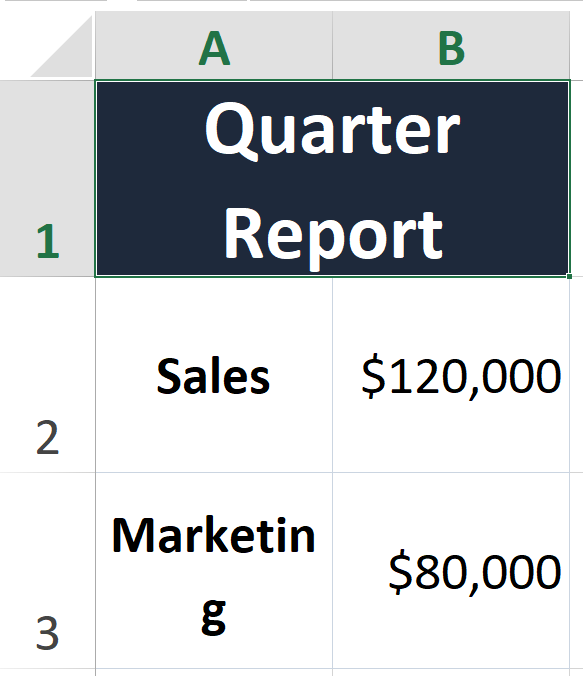
import tentags

employees = [
  {"name": "Alice", "salary": "$120,000", "dept": "Engineering"},
  {"name": "Bob", "salary": "$95,000", "dept": "Design"}
]

formula = f'''
3,3,1,"#cbd5e1","solid",0,40, data(
  Name,
  Salary,
  Department;
  {rows}
)'''

model = tentags.parse(formula)
html = tentags.render_html(model) This site is a standalone public portal for the TenTags project, separate from the Python package repository. It is designed to showcase the library, its features, and installation information.
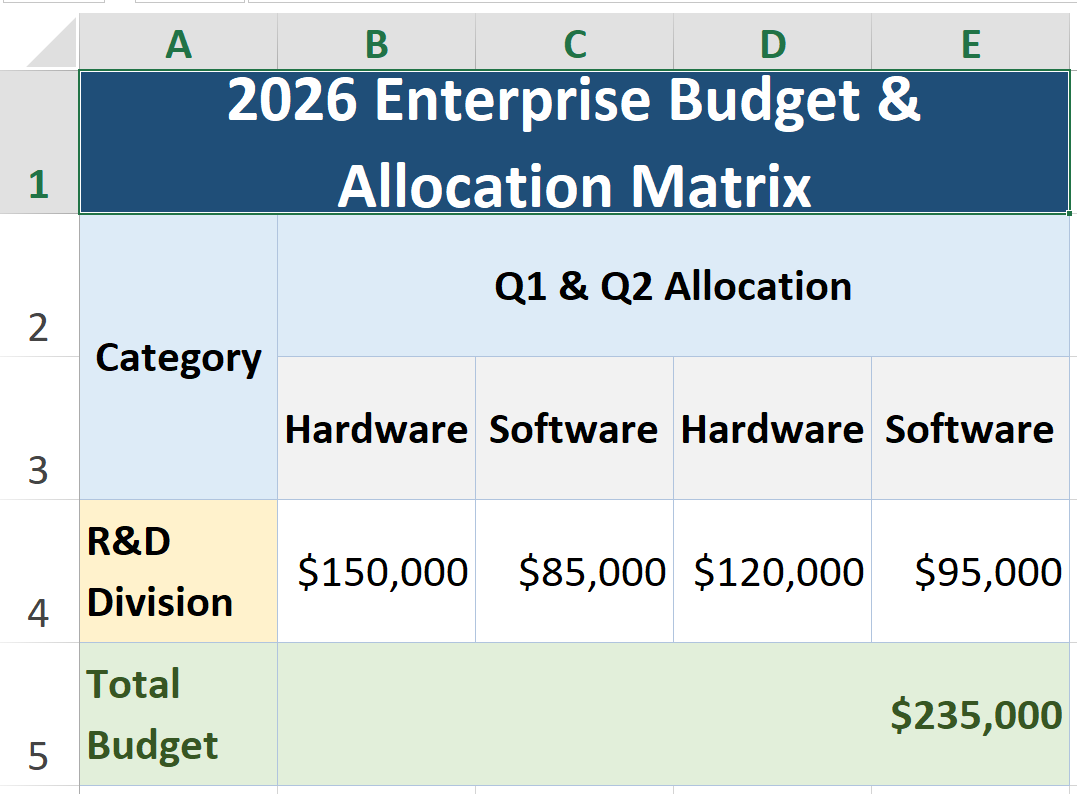
TenTags formulas include a preamble and data block for expressive table layout and styling. Use tags like <bg=#...>, <color=...>, <cm>, and <rm>.